 MacPower
Processor
Graphics
Memory
System power
CPU power
Neural Engine
A sample panel from a machine we measured: a Mac Studio M5 Ultra. The 56.4 W figure is a real reading off the PD0R DC rail (our measured range is 24→56 W under load), and graphics comes from the GPU Energy counter, which floors around 52 W with a display attached. On this chip the energy channels are a boot-time constant, so CPU power is a model — and this Mac won't give memory bandwidth without administrator access.
System power, load and memory,in the menu bar
A small app for Apple Silicon Macs that shows what the processor, the graphics and the power rails are actually doing — with no estimate wearing the costume of a measurement.
macOS 13 or later · Apple Silicon · four languages
Three kinds of number
A number in the bar says how it knows what it claims.
macOS's undocumented sensors behave differently on every machine. Instead of one global source, each Mac carries its own verdict from its own capability scan. Three categories that never trade places:
Live SMC DC rails (PD0R, PDTR), battery charge current and the GPU Energy counter. These move with load and agree with powermetrics to within 1 W.
CPU power on machines whose energy channels deliver a boot-time constant rather than a meter. Two curves calibrated on an M5 Ultra Mac, with a band up to ±20 W. The bar carries the word “estimate”.
Desktops have no whole-system figure without root, and we don't watch the Neural Engine. A dash, not a value. A real zero stays a zero; it is never a placeholder.
What's in the bar and the panel
Compact in the bar, expandable on demand.
Processor
Total and per-core utilisation, with Performance, Efficiency and Super groups read from the system rather than from a list of models.
Graphics
GPU utilisation, and on supported hardware a GPU power figure labelled as measured.
Memory
Used and total RAM, compressed memory, and physical read/write rates. Physical RAM bandwidth and DSID activity are different measurements and keep different labels.
Swap
Swap occupancy plus live swap read and write rates.
Power
System power in watts, distinguished by source and by whether the Mac is drawing from the adapter or the battery.
Control
Refresh every 1, 2 or 5 seconds, launch at login, and a panel you can detach — it remembers the size you gave it.

Published measurements
Which Mac showed us what.
Every row comes from that machine's own capability scan, not from its chip name. We keep the table public so our claims stay checkable — and because these are exactly the readings we're missing for machines we'll never see.
| Machine | Chip | Whole-machine power | Battery rail | GPU Energy | CPU Energy |
|---|---|---|---|---|---|
| Mac17,15 | M5 Ultra | PD0R live, 24→56 W under load | no response | live | flat → calibrated model only |
| Mac14,3 | M2 mini | no PD0R; PDTR = current × voltage | mirrors the DC rail | live | flat |
| Mac16,10 | M4 mini | PD0R and PDTR live, 6→18 W | mirrors one sample late | live | flat |
| Mac15,6 | M3 Pro | PDTR from adapter only; noise on battery | live — machine draw and charge current | live | live → measured |
| MacBookPro18,3 | M1 Pro | PDTR live from adapter, 64.3 W | live — machine draw, not charging | live | live → measured |
Value read live Estimate or boot-time constant, not a meter
Supported machines
Measured on the five machines in the table. Apple Silicon from M1 to M5, including Pro, Max and Ultra, is the target rather than a measurement result — a Mac we haven’t measured follows its own capability scan and substitutes nothing.
What it settled
- Unplugged, a DC rail reads ~0.0002 W of transport noise. Anything under 0.5 W is unavailable, never zero.
- The adapter-connected flag is event-based and lies for a minute. A live rail decides, not the flag.
- Charge current belongs to the battery service. On an M3 Pro it is also the machine draw; on an M1 Pro it isn't.
- We never add component figures to reach system power — that would double-count the same current.
Hardware test
The footer's stethoscope runs all of it.
One click runs the capability scan under bounded CPU and GPU load, a five-second capture of the DC rails and a thirty-second battery response series. The result is a single text report a tester can send — and the one power figure we used to have to derive one machine at a time.
Pricing
A year free. Then 99 Kč, once.
The 365-day trial isn't a marketing gesture. That year is how we learn how sensors behave on machines we'll never see and on macOS updates that haven't shipped.
When the trial ends, sampling stops. Your settings and any licence stay put.
One-time unlock. No subscription, no card up front. Other storefronts show their own price; the price you see in the app comes from the App Store, not from this page.
Languages
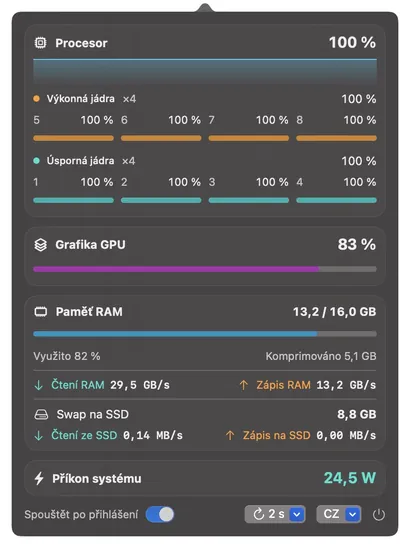
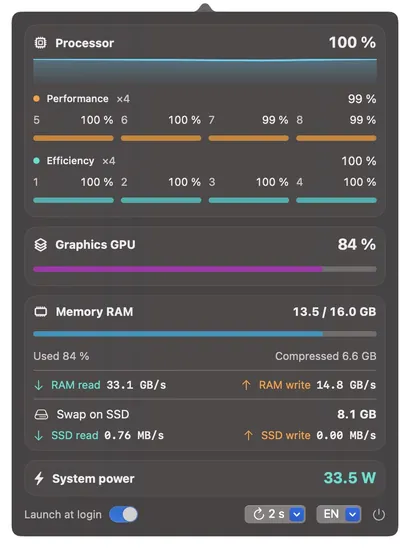
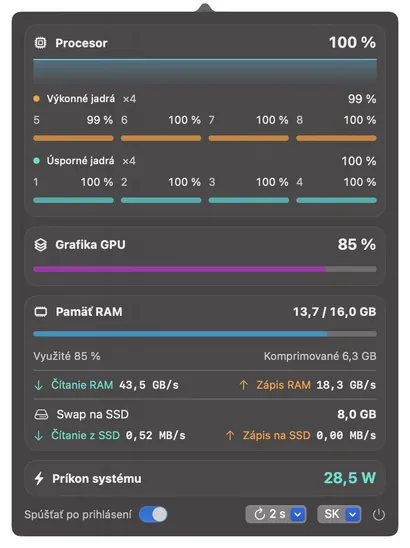
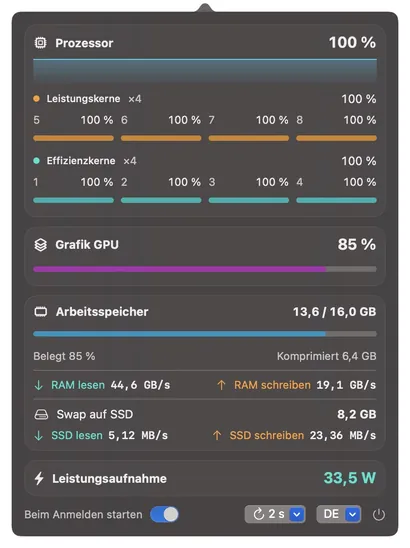
Four languages, including your number format.
- Čeština
- English
- Slovenčina
- Deutsch
The app switches between Czech, Slovak, English and German, decimal separators included. On first launch it takes the first supported language from your macOS settings, falling back to English. A manual choice wins.
Questions